
01 · Technician
Tag the equipment
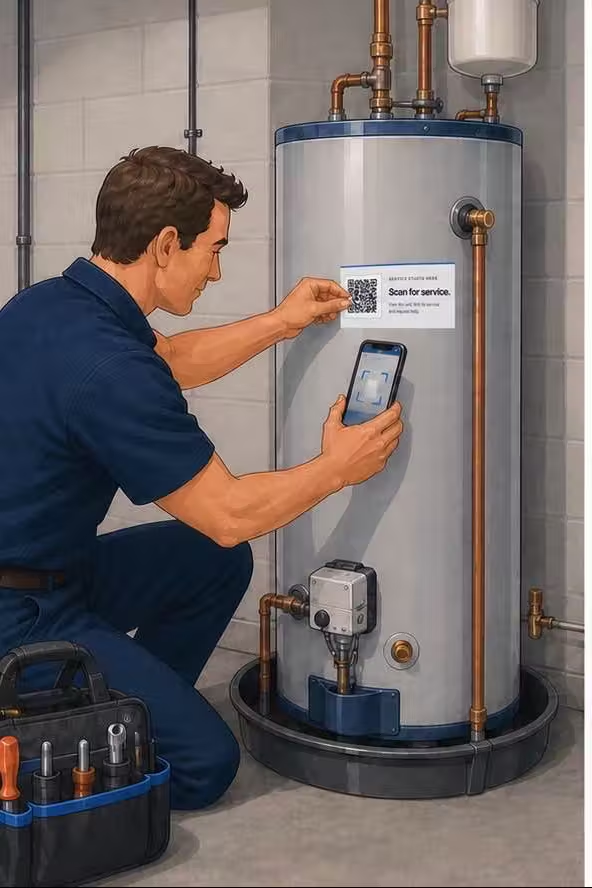
Place a Tech Was Here QR service tag on the unit, scan it with the phone camera, and link it to the customer, site, and equipment record.
Tag the equipment during the visit, let the customer scan it when something changes, and receive the next request with the unit already identified — no app, login, or search required.
Place a Tech Was Here QR service tag on the unit, scan it with the phone camera, and link it to the customer, site, and equipment record.

The camera opens a simple page for that exact unit and names the current service company. No app, account, or login is required.

The issue reaches the team with the claimed customer, site, and equipment context already attached, ready for follow-up in the existing service workflow.
The physical QR service tag measures 3 × 1 inches and is enlarged in these illustrations for visibility.
The illustrated journey above uses enlarged tags for clarity. On real equipment, the durable serialized tag measures 3 × 1 inches.


Start with the company setup, put the included tags in technicians’ hands, and build the homeowner path one serviced unit at a time.
We coordinate the company account, owner access, and the service details customers should see.
Start with 25 serialized QR service tags and three months of complimentary software access. The remaining 75 starter tags are included when paid service starts.
Owners and admins add technicians and office staff to the private workspace with the right access.
A signed-in technician scans with the phone camera and links the tag to the customer, site, and exact unit.
The homeowner scans later and the team sees the issue with the claimed customer, site, and equipment attached.
The company sets default maintenance reminders and can adjust the schedule for each tagged unit.
The customer sees a short path to the right service company. The details that help your team follow up stay in the private workspace instead of being exposed on a public QR page.
Your team configures default reminder timing in the contractor portal. Tech Was Here then emails equipment-specific reminders to the customer automatically.
Tech Was Here begins with the equipment-level path from a completed visit to the next customer request. It gives service teams a useful workflow today and a platform we can shape around what they need next.
See who it is built forStart with 25 QR service tags and 3 months of Tech Was Here free. No card is required, and billing does not start automatically.